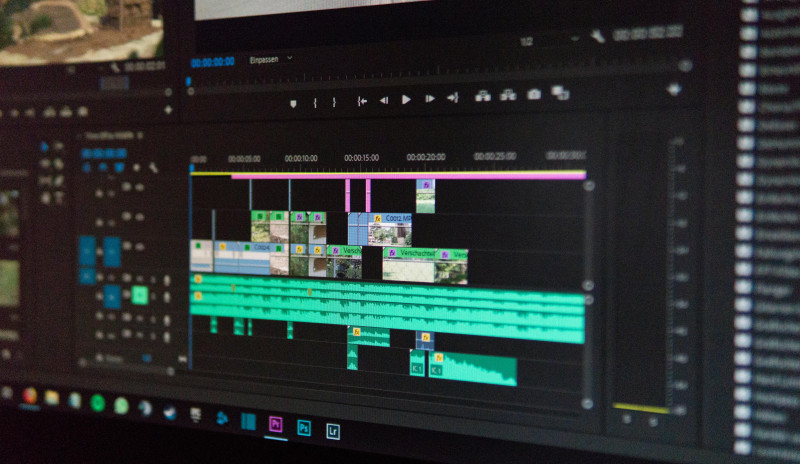
Managing high-resolution images and video content on a Joomla website requires a strategic approach to ensure fast loading times, optimal user experience, and strong search engine performance. As technology and gadgets evolve, users expect rich media without delays, making optimization a critical task for site owners. This article explores practical techniques and tools to optimize Joomla for high-resolution images and video content, focusing on performance, storage, and delivery.
Understanding the Impact of High-Resolution Media on Joomla Performance
High-resolution images and videos significantly increase page size, which can slow down load times and negatively affect user engagement. Research indicates that a one-second delay in page load time can reduce conversions by up to 7%. For Joomla sites, this is especially problematic because the platform’s default settings may not compress or scale media efficiently. When a user visits a page with multiple large images or embedded videos, the server must process and transmit more data, leading to higher bandwidth usage and potential server strain. Additionally, search engines like Google consider page speed as a ranking factor, so slow-loading media can harm SEO efforts. To mitigate these issues, site administrators must implement caching, compression, and lazy loading techniques tailored to Joomla’s architecture.
Configuring Joomla’s Global Settings for Media Optimization
Joomla offers built-in configuration options that can be adjusted to handle high-resolution media more effectively. In the Global Configuration menu, users can set maximum file sizes for uploads, enable automatic thumbnail generation, and define image quality parameters. For instance, setting the JPEG quality to 80% rather than 100% can reduce file size by up to 50% without noticeable visual loss. Additionally, enabling the ‘System – Page Cache’ plugin helps store static versions of pages, reducing server load when serving media-rich content. It is also advisable to disable unused media plugins that may add overhead, such as unnecessary slideshows or gallery extensions. These foundational adjustments create a baseline for performance, but further customization is often needed for high-resolution video content.
Selecting and Configuring Image Compression Extensions
Third-party extensions are essential for automated image compression in Joomla, as the core platform lacks advanced optimization tools. Extensions like ‘JCH Optimize’ or ‘Image Recycle’ can compress images in bulk, convert formats to WebP, and resize images based on display dimensions. For example, ‘JCH Optimize’ combines CSS and JavaScript files while also optimizing images, reducing overall page weight by up to 30%. When selecting an extension, look for features like lossless compression, EXIF data removal, and support for modern formats like AVIF. It is important to test the extension on a staging site first, as aggressive compression can sometimes degrade image quality. Regular scans of the media library should be scheduled to ensure new uploads are automatically optimized without manual intervention.
Implementing Lazy Loading for Images and Videos
Lazy loading delays the loading of off-screen images and videos until the user scrolls near them, which conserves bandwidth and speeds up initial page rendering. Joomla supports lazy loading natively through its ‘System – Lazy Loading’ plugin, but this may not cover all media types. For comprehensive control, consider using extensions like ‘Lazy Loading for Joomla’ or ‘ScriptsOptimizer’, which allow customization of threshold distances and placeholder images. For video content, lazy loading can be implemented by replacing embedded video players with thumbnail images that load the full player only on click. This technique is particularly effective for gadget review sites that feature multiple product videos on a single page. Statistics show that lazy loading can reduce initial page load time by up to 40%, making it a vital strategy for media-heavy Joomla sites.
Optimizing Video Delivery with Content Delivery Networks
High-resolution video files are best served through a Content Delivery Network (CDN) to reduce latency and distribute bandwidth load. Joomla integrates with CDNs like Cloudflare, Amazon CloudFront, or KeyCDN through plugins such as ‘CDN for Joomla’ or ‘JCH Optimize’. By hosting video files on a CDN, users can leverage edge servers located closer to their audience, resulting in faster buffering and smoother playback. For example, a gadget tutorial video hosted on a CDN can load 50% faster for viewers in different continents compared to a single-server setup. Additionally, CDNs often provide built-in video optimization features like adaptive bitrate streaming, which adjusts quality based on the user’s internet speed. When configuring a CDN for Joomla, ensure that media URLs are rewritten correctly and that caching headers are set to expire appropriately to prevent stale content.
Using Responsive Images with Joomla’s Media Manager
Responsive images automatically adjust resolution based on the user’s device, preventing mobile users from downloading large desktop-sized files. Joomla’s Media Manager can generate multiple image sizes, but it requires manual configuration through templates or custom code. The ‘srcset’ attribute in HTML allows browsers to choose the best image size, and extensions like ‘Responsive Images for Joomla’ automate this process. For instance, a 4000px-wide product photo can be downsized to 1200px for tablets and 600px for phones, reducing mobile data usage by up to 70%. This is crucial for gadget blogs that showcase detailed product shots, as users on slow connections can still view crisp images without long waits. Testing with tools like Google’s Lighthouse can help verify that responsive images are implemented correctly across different viewports.
Leveraging Caching Plugins for Media-Rich Pages
Caching plugins reduce server load by storing pre-rendered versions of pages, which is especially beneficial for sites with heavy media content. Joomla’s built-in caching can be enhanced with extensions like ‘JotCache’ or ‘Cache Cleaner’, which offer advanced features such as cache warming and exclusion rules for dynamic content. For video pages, caching can be tricky because embedded players often rely on JavaScript that changes with each visit. To address this, configure the caching plugin to exclude video player scripts while caching the surrounding HTML and images. This approach can cut server response times by 60% or more for repeat visitors. Regularly clearing the cache after media updates ensures that users see the latest versions without performance degradation.
Optimizing Database Queries for Media Metadata
High-resolution images and videos generate extensive metadata, such as EXIF data, captions, and alt text, which can bloat the Joomla database. Over time, this can slow down queries when loading media libraries or displaying content. Tools like ‘Akeeba Admin Tools’ or ‘Database Optimizer’ can clean up orphaned media entries, remove duplicate metadata, and optimize table structures. For example, deleting unused image thumbnails from the database can reduce query execution time by 20%. It is also recommended to limit the number of media items displayed per page in the backend to avoid memory exhaustion. Regular database maintenance, combined with indexing of key columns like ‘filename’ and ‘created_date’, ensures that media retrieval remains fast even with thousands of high-resolution files.
Choosing the Right Hosting for High-Resolution Media
Shared hosting plans often struggle with the demands of high-resolution images and video, leading to slow performance and downtime. For Joomla sites focused on technology and gadgets, a virtual private server (VPS) or dedicated server with SSD storage and ample RAM is recommended. Look for hosts that offer PHP 8.x support, as newer versions include performance improvements for media processing. Additionally, hosts with built-in caching layers like LiteSpeed or Nginx can accelerate media delivery without additional plugins. For example, a site hosting 4K product videos may require at least 4GB of RAM and a bandwidth allowance of 1TB per month to accommodate traffic. Before committing, test the host’s performance with a sample media file using tools like GTmetrix to ensure consistent load times.
Implementing WebP and AVIF Formats for Modern Browsers
Modern image formats like WebP and AVIF offer superior compression compared to JPEG and PNG, reducing file sizes by up to 50% while maintaining quality. Joomla can serve these formats through extensions like ‘WebP Converter’ or by adding rules in the .htaccess file. For instance, a 2MB JPEG image can be converted to a 400KB WebP file, significantly improving load times for gadget galleries. However, not all browsers support AVIF, so a fallback mechanism is necessary. The ‘Picture’ HTML element can be used to specify multiple sources, and Joomla’s template overrides allow for easy implementation. Regular monitoring of browser usage statistics helps decide when to fully transition to newer formats without alienating users on older browsers.
Minimizing HTTP Requests for Embedded Media
Each image or video on a page generates an HTTP request, and too many requests can slow down load times. Combining multiple small images into CSS sprites or using icon fonts for UI elements reduces the number of requests. For video content, consider using a single video player that loads multiple sources rather than separate players for each clip. Joomla’s template manager can be used to merge CSS and JavaScript files, further reducing requests. For example, a gadget review page with ten product images can combine them into a single sprite sheet, cutting requests from ten to one. Tools like ‘JCH Optimize’ can automate this process, but careful testing is needed to ensure that sprite positioning does not break layout on different screen sizes.
Setting Up Automated Media Cleanup and Maintenance
Over time, unused high-resolution images and videos accumulate in Joomla’s media library, consuming storage and affecting performance. Extensions like ‘Media Manager Extended’ or ‘Clean Media’ can scan for orphaned files and delete them in bulk. For instance, a site that regularly updates gadget reviews may have dozens of outdated product images that can be safely removed. Scheduling weekly cleanup tasks via Joomla’s cron jobs ensures that the media library remains lean. Additionally, setting file size limits for uploads in the user manager prevents contributors from adding excessively large files. This proactive approach not only improves performance but also reduces backup sizes and storage costs.
Testing and Monitoring Media Performance
Continuous testing is essential to ensure that optimization efforts are effective. Tools like Google PageSpeed Insights, Pingdom, and WebPageTest provide detailed reports on image and video performance. For Joomla, the ‘System – Debug’ plugin can display database queries and load times for media elements. Regular monitoring helps identify bottlenecks, such as unoptimized video embeds or oversized hero images. For example, a test might reveal that a 4K video is being served to mobile users, prompting the implementation of adaptive streaming. Setting up alerts for slow-loading pages through services like UptimeRobot allows for quick fixes. By integrating performance testing into the content publishing workflow, Joomla site owners can maintain a fast, media-rich experience for their audience.